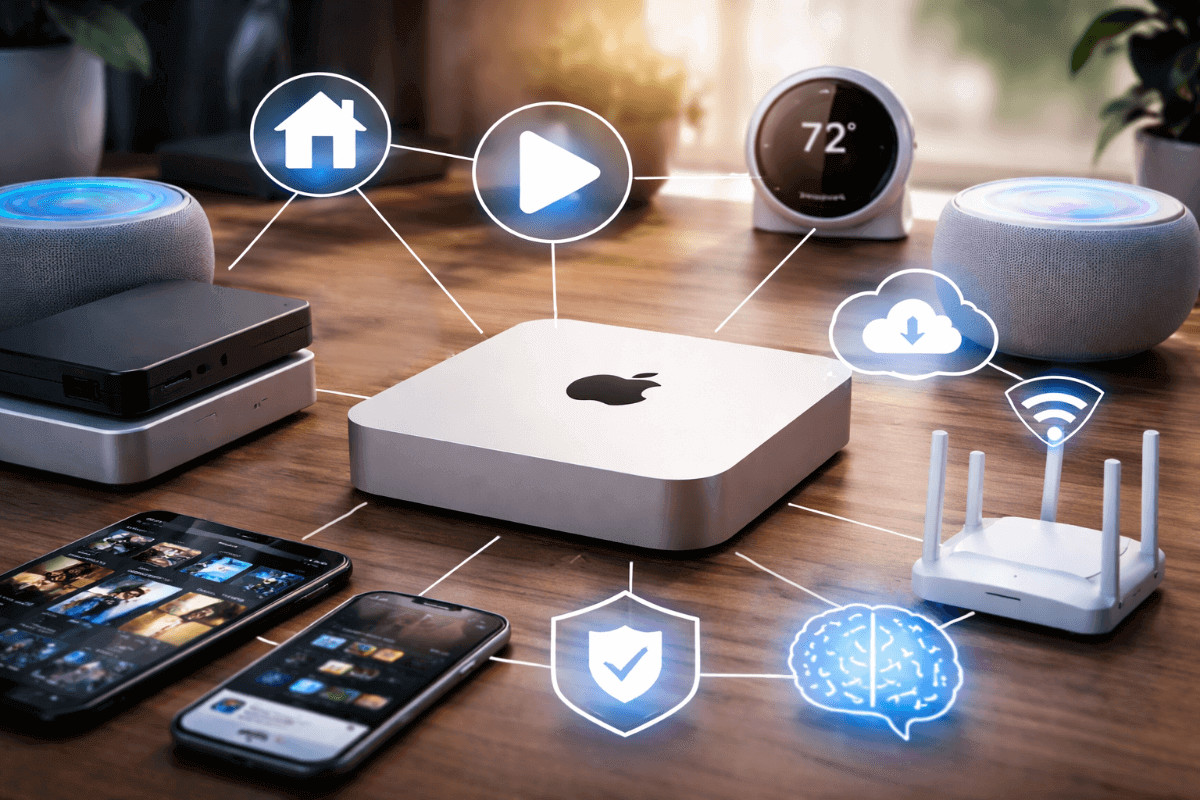
Once you’ve gone through the basics of setting up a Mac mini home server, the next step is actually putting it to use as the backbone of your home network.
An M1 or newer model is more than powerful enough to run many services at once – everything from media streaming and smart home automation to backups, network services, and even local AI workloads.
Below are some of the most practical and popular ways to utilize a Mac mini home server.
Media Streaming with Plex or Jellyfin
For most people, this is the reason home servers exist in the first place.
Running Plex or Jellyfin on a Mac mini allows you to stream your own movie, TV, and music libraries to Apple TV, phones, tablets, and smart TVs throughout your home (or remotely while traveling). Apple Silicon handles video playback and transcoding effortlessly for the common formats used in personal media libraries.
Paired with an expanded storage options, such as external Thunderbolt drives, a Mac mini becomes a compact, silent media hub that replaces streaming subscriptions and keeps your content under your control. This is the most common entry point into home servers, and the Mac mini is exceptionally well suited for it.
Home Assistant and Local Smart Home Automation
Running Home Assistant locally is one of the most powerful ways to use a Mac mini home server.
Home Assistant acts as a central control layer for your smart home, allowing you to manage devices and services from different manufacturers that normally do not work together. Instead of juggling multiple apps, everything is controlled from a single interface.
This makes it possible to link together devices across ecosystems. A motion sensor from one brand can trigger lights from another. A door sensor can pause media playback, adjust climate settings, or send notifications. All of it is managed in one place.
Backups and Centralized File Storage
A Mac mini works well as a centralized backup and file server for a household.
Common setups include Time Machine backups for multiple Macs, shared document storage, photo libraries, and local archives of important files. With external storage, you can scale capacity easily while keeping everything fast and quiet.
Cloud backups can still have a place and are often used in combination with local backups to create redundancy layers, but running local backups on a Mac mini can reduce ongoing costs and gives you immediate access to your data.
Apple Software Update Caching
macOS includes a built-in content caching feature that fits naturally into a Mac mini home server setup for people that are already invested in the Apple ecosystem.
When enabled, the Mac mini locally caches Apple software updates, App Store downloads, and iOS updates. If you have multiple Apple devices in your home, this can significantly reduce internet usage and speed up updates across all devices.
Each update is downloaded once from Apple’s servers and then served locally, running quietly in the background with very little ongoing maintenance.
Network-Wide Ad Blocking
Running AdGuard Home or Pi-hole on a Mac mini provides network-wide ad and tracker blocking.
Because this works at the DNS level, ads and tracking domains are blocked across phones, tablets, smart TVs, and streaming devices without requiring browser extensions. This improves both privacy and overall browsing performance.
A Mac mini can run ad blocking alongside other services without issue, making it a reliable always-on solution for an entire household.
Local AI and Large Language Models
Apple Silicon has made running local AI models far more practical than it used to be.
With tools like Ollama or LM Studio, a Mac mini can run local LLMs for tasks like summarization, coding assistance, private chatbots, and experimentation – all while keeping your data local rather than sending prompts to external services.
With enough RAM and fast storage, Mac mini configurations can handle these workloads better than many people expect.
Personal Cloud and Self-Hosted Services
A Mac mini home server can also replace several common cloud services with locally hosted alternatives.
For file storage and syncing, tools like Nextcloud allow you to host your own version of Google Drive or Dropbox. Files stay on your hardware, sync across devices, and remain accessible remotely without relying on a third-party service.
For notes and documents, many people pair file storage with simple markdown-based systems or self-hosted apps that keep content local. This works well for personal knowledge bases, project notes, and shared household documents.
Password managers are another common use case. Self-hosted options like Vaultwarden let you run a private Bitwarden-compatible server, providing encrypted password sync across devices while keeping the server under your control.
Dashboards and internal tools are also popular. Apps like Homepage provide a clean interface for launching services, checking system status, and centralizing links to everything running on your Mac mini.
With secure remote access, these services remain available from anywhere, effectively replacing a collection of small cloud subscriptions with a single system you control.
Final Thoughts
A Mac mini home server can replace cloud services, reduce subscriptions, and centralize control over your data and smart home devices. You can start with a single use case and expand over time, all on a platform that stays quiet, efficient, and dependable.


Leave a Reply