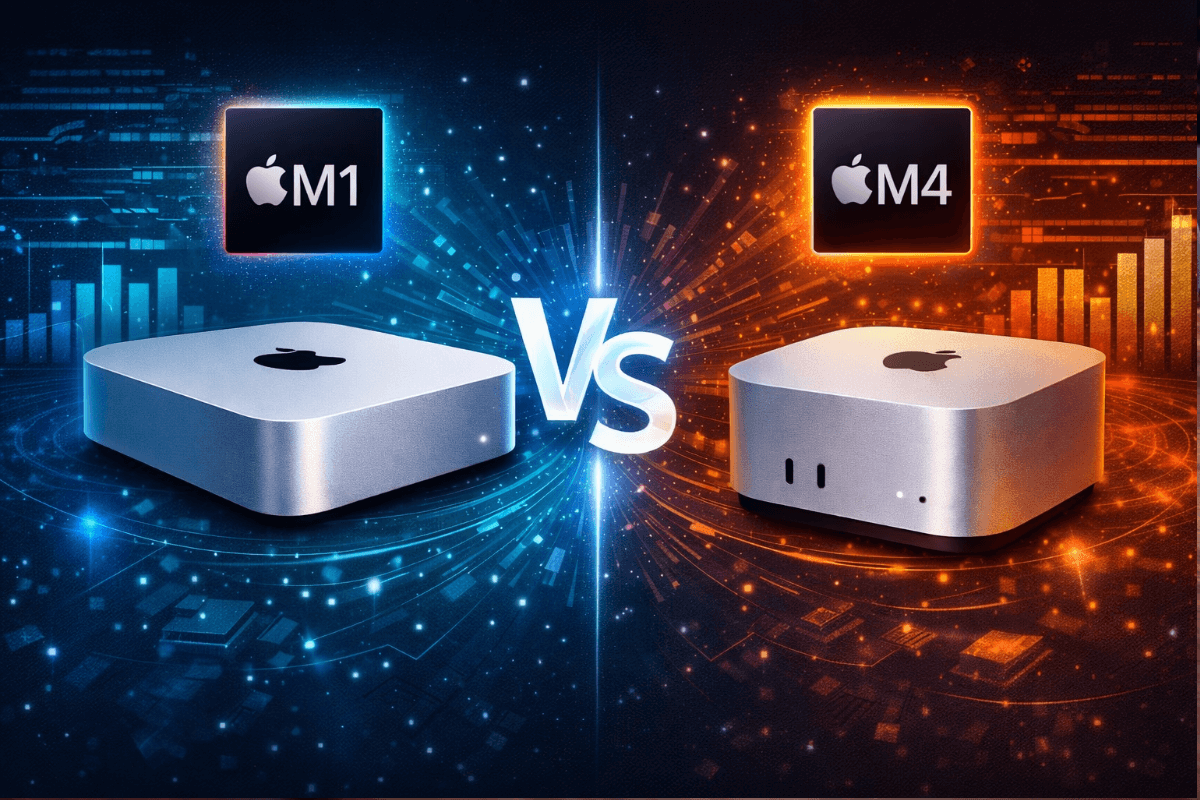
The Mac mini is one of the best home server platforms available, but choosing the right generation can be tough. Many people are deciding between a used M1 / M2 Mac mini and a new M4 Mac mini, especially with recent sales pushing prices of the M4 down to as low as $400. Both are solid options, but there are differences to be aware of.
Performance: M1 Is Still Good, M4 Is Clearly Faster
The M1 Mac mini was the first Apple Silicon model and it remains very capable. It easily handles common home server tasks like containers, Jellyfin or Plex, Home Assistant, ad blocking, backups, and monitoring tools.
The M4 Mac mini, however, is a noticeable step up. With newer cores, better efficiency, and more performance headroom, it handles heavier multitasking and future workloads more comfortably. If you plan to run many containers at once, local AI models, or expand your setup over time, the M4 gives you more breathing room.
Price: M1 vs M4
This is where the decision usually gets interesting. Used M1 / M2 Mac minis on eBay are now very affordable and represent excellent value. For budget-focused builds, it’s hard to beat the price-to-performance ratio of a clean, lightly used M1.
That said, recent sales, including over the Christmas / New Years holidays, have somewhat changed the math. Discounts on new M4 Mac minis have brought prices much lower than expected, like $400 for the base model, which is close enough to used M1 pricing that the jump to a brand-new machine could make sense.
Power Efficiency and Noise
Both models are extremely power-efficient and well-suited for 24/7 operation. Idle power usage is very low, heat output is minimal, and noise is essentially nonexistent under normal server loads. In practical home server use, there’s no meaningful downside to either model here.
Hardware Specs Comparison: M1 vs M4 Mac Mini
From a hardware standpoint, both the M1 and M4 Mac mini share the core traits that make the platform excellent for home servers: strong performance per watt, quiet operation, and very low power consumption. The key differences are performance headroom, connectivity, and physical size.
The M1 Mac mini uses Apple’s first-generation Apple Silicon with an 8-core CPU and unified memory configurations. It is compact by desktop standards and fits easily on a shelf or desk. For most home server workloads—Docker containers, media servers, ad blocking, Home Assistant, and monitoring stacks—it remains more than capable. Perhaps even overkill outside of very demanding tasks like video rendering or local AI.
The M4 Mac mini is physically smaller than the M1 model. Apple reduced the overall footprint, making the M4 easier to place in tight spaces such as network cabinets, media consoles, or stacked server shelves. For always-on home server setups where space matters, this smaller size is a real, practical improvement. Though if vertical space is a concern, note that the M4 is actually taller than the M1 at 2 inches vs 1.4 inches
Connectivity is another clear hardware advantage for the M4. While the M1 includes Thunderbolt ports suitable for basic expansion, the M4 offers more Thunderbolt ports overall, allowing you to connect multiple high-speed devices at the same time. This is especially useful for external NVMe storage, RAID enclosures, or high-speed networking adapters without relying on hubs or dongles. The M1 does include USB-A ports if you want the legacy USB connectivity. The M4 also benefits from newer Thunderbolt generations, providing more bandwidth and flexibility for future expansion.
In practical terms, the M1 Mac mini remains excellent hardware for today’s home server needs. The M4, however, pairs better performance with a smaller physical footprint and more Thunderbolt connectivity, making it the stronger long-term platform if the price difference is reasonable.
Software Support and Longevity
This is where the M4 has a clear long-term advantage as newer Macs are almost always going receive macOS updates and security patches for longer. If you plan to run your home server for many years without replacing hardware, starting with an M4 means a longer runway.
The M1 is still supported today, but it is already several generations old. That doesn’t make it a bad choice by any stretch, but it does mean its remaining support window is shorter.
Which One Should You Choose?
Choose a used M1 Mac mini if: your budget is tighter, your workloads are moderate, and you want the best possible value for the money.
Choose an M4 Mac mini if: you can take advantage of sale pricing, want maximum longevity, or plan to scale your home server over time.
Once you’ve made your decision, head over to our Complete Guide to Setting up a Mac Mini Home Server to get started setting things up.



Leave a Reply